Panasonic P2 Serial Control
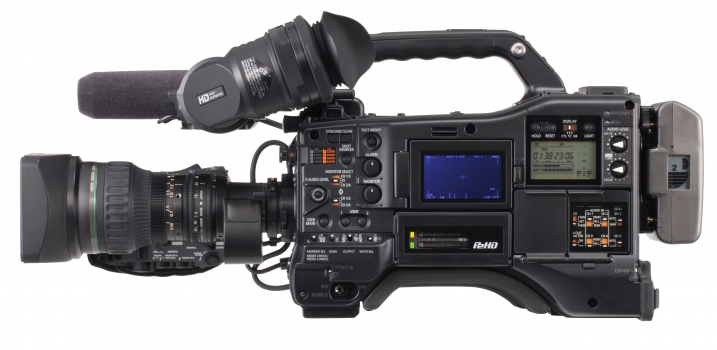
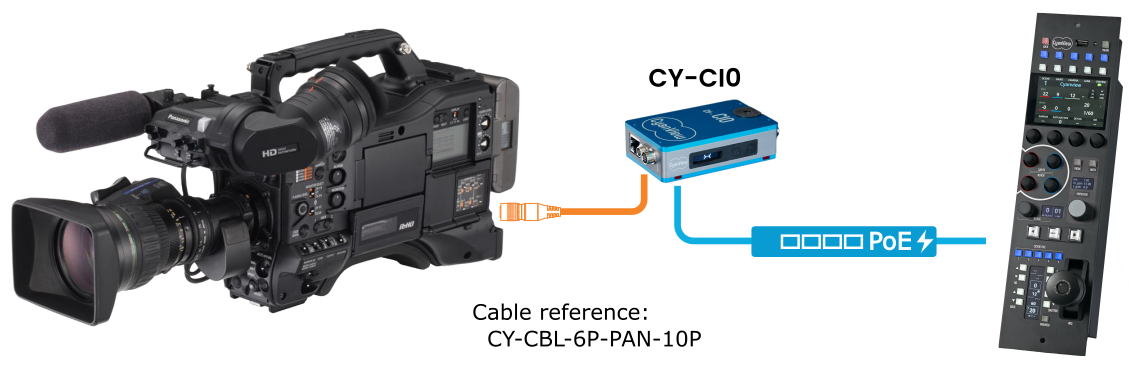
Older Panasonic P2 camcorders with a Hirose 10-pin serial connector can be controlled from a Cyanview RCP via RS-422 serial using a CI0 or RIO interface. The camera connects to the CI0 or RIO via the dedicated serial cable, which in turn connects to the RCP over IP. Typical use cases include broadcast and live production using legacy P2 cameras. For newer P2HD models with an RJ45 connector, see the P2HD IP guide.
Supported Models
- AG-HPX300
- AG-HPX500
- AJ-HPX2700
- AJ-HPX3100
- Generic — assumes all features are available; use with any other AJ-HPX camera with a Hirose 10-pin connector. Some features may not be available or may not function as expected depending on the specific model.
All AJ-HPX cameras with the Hirose 10-pin connector are supported. Select Generic for models not specifically listed. Depending on the model, some features may not be available or may not work properly.
Supported Controls
| Control | Notes | AG-HPX300 | AG-HPX500 | AJ-HPX2700 | AJ-HPX3100 | Generic |
|---|---|---|---|---|---|---|
| OSD | ✔ | ✔ | ✔ | ✔ | ✔ | |
| Iris | ✔ | ✔ | ✔ | ✔ | ✔ | |
| Shutter | ✔ | ✔ | ✔ | ✔ | ✔ | |
| Gain (M/R/B) | ✔ | ✔ | ✔ | ✔ | ✔ | |
| Pedestal (M/R/B) | ✔ | ✔ | ✔ | ✔ | ✔ | |
| AWB | ✔ | ✔ | ✔ | ✔ | ✔ | |
| Gamma (M/R/B) | — | — | ✔ | ✔ | ✔ | |
| Black Gamma | — | — | ✔ | ✔ | ✔ | |
| Saturation | — | — | ✔ | ✔ | ✔ | |
| White Clip | — | — | ✔ | ✔ | ✔ | |
| Knee | — | — | ✔ | ✔ | ✔ | |
| Matrix | — | — | ✔ | ✔ | ✔ | |
| Detail | — | — | ✔ | ✔ | ✔ | |
| ND Filters | Read-only on AG-HPX500 | — | RO | — | — | ✔ |
| Record | — | — | — | — | — | |
| Tally | — | — | — | — | — |
Connection
The camera is controlled over a serial link and requires a CY-CIO or CY-RIO interface. The appropriate cable is CY-CBL-6P-PAN-10P.
Required Accessories
Required:
- CY-CBL-6P-PAN-10P — CI0 / RIO to Panasonic P2 serial cable (Hirose 10-pin)
- Cyanview CI0 or RIO — serial-to-IP interface
Optional:
- Additional serial cables for multi-camera setups
Configuration
Camera Configuration
No specific camera menu configuration is documented for P2 serial. Connect the CY-CBL-6P-PAN-10P cable to the Hirose 10-pin serial port on the camera.
RCP Configuration
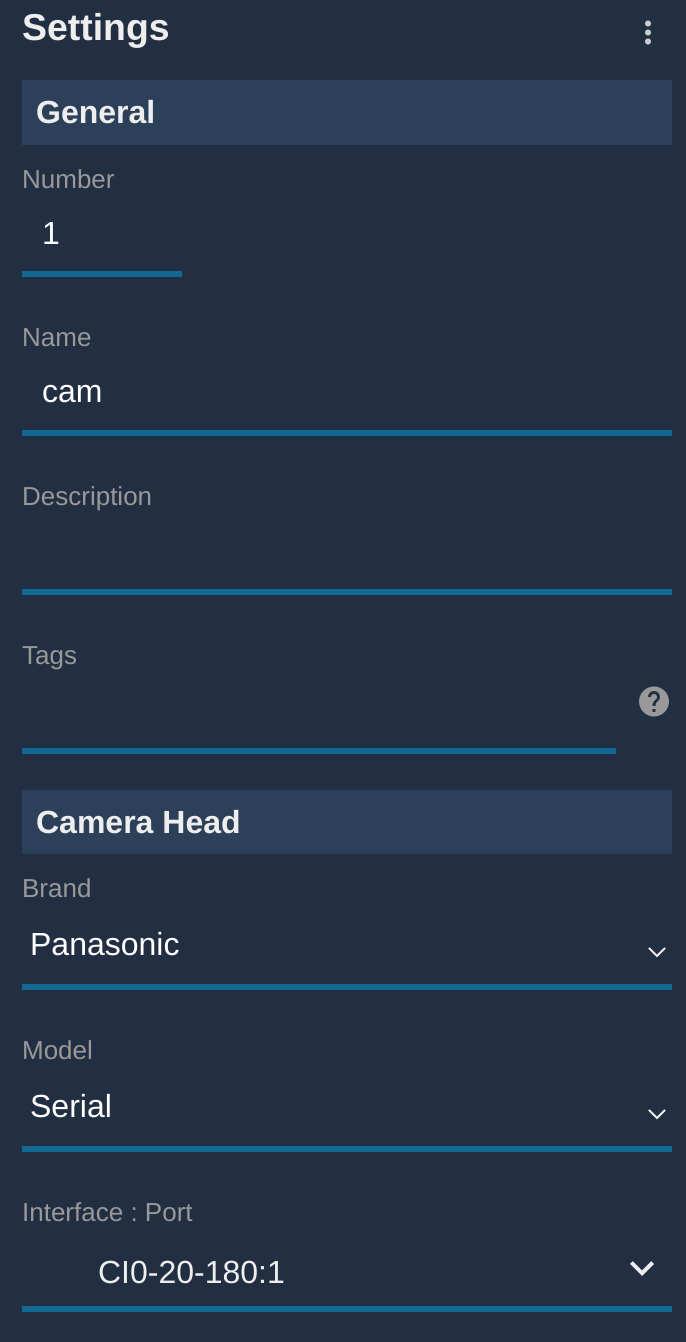
This is a serial camera — follow the Serial Camera Setup Guide to add it to the RCP.
- Select brand Panasonic and model Serial
- Select the CI0 or RIO port the camera is connected to
Troubleshooting
Camera icon stays RED / camera not detected
Check in this order:
- Verify the cable — confirm CY-CBL-6P-PAN-10P is correctly connected to the Hirose 10-pin port on the camera and to the CI0/RIO.
- Verify port selection — confirm the correct CI0 or RIO serial port is selected in the RCP camera configuration.
- Check CI0/RIO connectivity — confirm the CI0 or RIO is reachable from the RCP.
- Try the Generic model — if using an unlisted AJ-HPX model, select
Genericin the RCP. - Power cycle — restart the camera and retry.
A specific parameter is not controllable
- Check the Supported Controls table — AG-HPX300 and AG-HPX500 do not support Gamma, Black Gamma, Saturation, White Clip, Knee, Matrix, or Detail.
- ND filter control is read-only on the AG-HPX500.
- For unlisted models using
Generic, some features may not be available or may behave unexpectedly.
Camera firmware update broke control
- Firmware updates may reset serial port or remote control settings. Verify the camera serial port is active and retry.
- As a general rule: do not update camera firmware during a live production. Test first in a controlled environment.