Panasonic P2HD (IP Control)
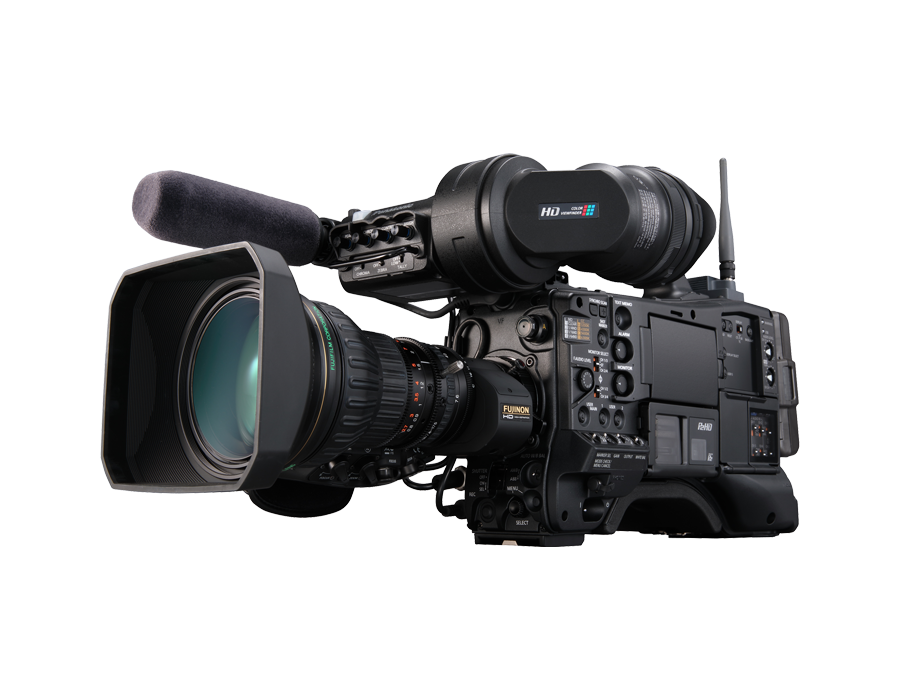
Newer Panasonic P2HD camcorders equipped with a rear RJ45 connector can be controlled directly over IP from a Cyanview RCP. No additional interface hardware is required — a simple Ethernet cable between the camera and the RCP is sufficient. Typical use cases include ENG/field production and studio configurations where direct IP shading is preferred. For older P2 models without IP control, see the P2 serial guide.
Supported Models
These models have IP control via the rear RJ45 connector:
- AJ-PX270
- AJ-PX380
- AJ-PX800
- AJ-PX5000
- AJ-PX5100
For older models without IP, see P2 serial control.
Supported Controls
The control protocol and available features are consistent across all supported models. In some cases, parameters such as color temperature can be monitored but not modified.
| Control | Notes | All Models |
|---|---|---|
| Iris | Manual | ✔ |
| Gain | ✔ | |
| Shutter | ✔ | |
| Auto Exposure | Iris | ✔ |
| Syncro Scan | ✔ | |
| ND | Display only — ND is not motorized | ✔ |
| White Balance | R/B gains | ✔ |
| AWB | ✔ | |
| Black / Pedestal | R/B/Master, including ABB | ✔ |
| Detail | ON/OFF — level is displayed only, not adjustable under control | ✔ |
| Knee | ON/OFF only — other parameters cannot be controlled | ✔ |
| Menu / OSD | Controls CHAR display function; CHAR must be enabled manually on the camera first | ✔ |
| Tally | Red works; green is acknowledged by the camera but may not display | ✔ |
| Bars | ✔ | |
| Color Temperature | Cannot be adjusted directly — see Known Limitations | — |
| Record | — |
When the camera is connected to a controller (Cyanview RCP or Panasonic ROP), some functions are disabled and cannot be changed from the camera body or its menus. See Known Limitations for details.
Known Limitations
- Auto-Iris at startup: The AJ-PX5100, and potentially other models, activate auto-iris upon powering on. The RCP displays this state and you must manually switch iris back to manual mode.
- CHAR/OSD: The RCP can trigger menu navigation, and most settings can be adjusted if CHAR is enabled on the SDI output. However, CHAR cannot be activated from the RCP itself — it must be enabled manually through the camera menus before connecting to the RCP.
- Detail level: Detail level is displayed but cannot be changed while under control. To modify it: disconnect the Ethernet cable, reboot the camera, change the value via the camera menus. Once reconnected, detail can be toggled on/off from the RCP but the level remains fixed — even via the camera menus.
- Color temperature: Color temperature cannot be adjusted directly. White balance control is limited to selecting between memories "A," "B," and "Preset." In "A" or "B," AWB can be triggered to store a new color temperature. "Preset" represents a fixed value only modifiable through the camera menus. Note: "Preset" mode incorrectly reports ATW as active even when the camera is not in ATW mode — this appears to be an erroneous status from the camera.
Connection
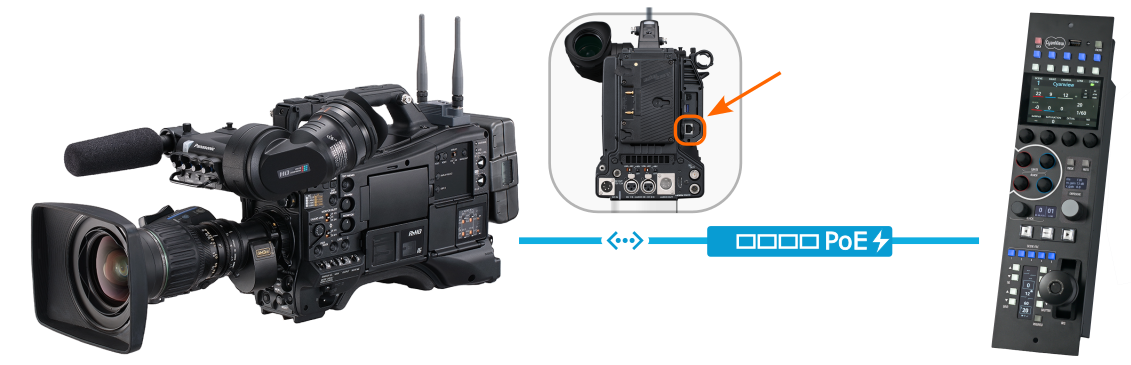
The P2HD connects to the Cyanview RCP over IP/Ethernet using the rear RJ45 connector. A direct Ethernet cable between camera and RCP is sufficient — no switch is required.
Configuration
Camera Configuration
Ensure the camera's rear RJ45 port is enabled and configured with an accessible IP address. No username or password is required.
RCP Configuration
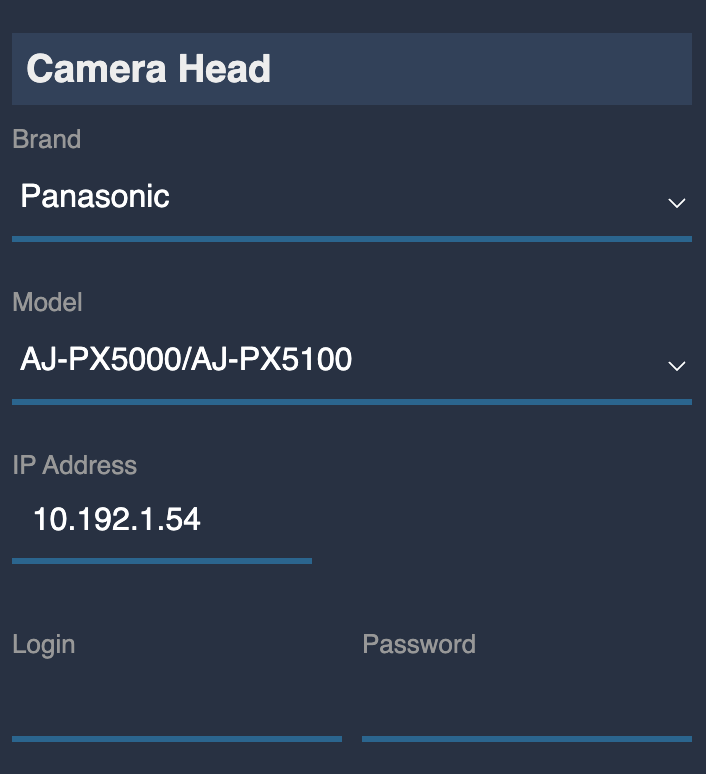
Add the camera as an IP camera.
- Select brand Panasonic and the appropriate model (each model has its own entry in the list)
- Enter the camera's IP address — no username or password is required
Troubleshooting
Camera icon stays RED / camera not detected
Check in this order:
- Verify the IP address — confirm the camera IP is correctly set and entered in the RCP configuration.
- Ping the camera from a computer — set the computer to the same IP range and ping the camera IP to confirm basic network connectivity.
- Ping the RCP from the same computer — confirms the RCP and camera are on the same subnet.
- Check the Ethernet cable — ensure the cable is connected to the rear RJ45 port and is fully seated at both ends.
- Power cycle — restart the camera and retry.
A specific parameter is not controllable
- Detail level, color temperature, and knee parameters have known limitations — see Known Limitations.
- CHAR/OSD control requires CHAR to be manually enabled on the camera before connecting to the RCP.
- Some controls are disabled by the camera when it is under RCP control — this is expected behavior.
Tally not working
- Red tally is confirmed working. Green tally is acknowledged by the camera but may not display on all models — this is a known camera behavior.
Auto-iris activates at camera startup
- This is a known behavior on the AJ-PX5100 and potentially other models. Switch iris back to manual mode from the RCP after the camera connects.
Camera firmware update broke control
- Firmware updates may reset network settings. Re-apply the IP configuration on the camera and retry.
- As a general rule: do not update camera firmware during a live production. Test first in a controlled environment.