Haivision MoJoPro
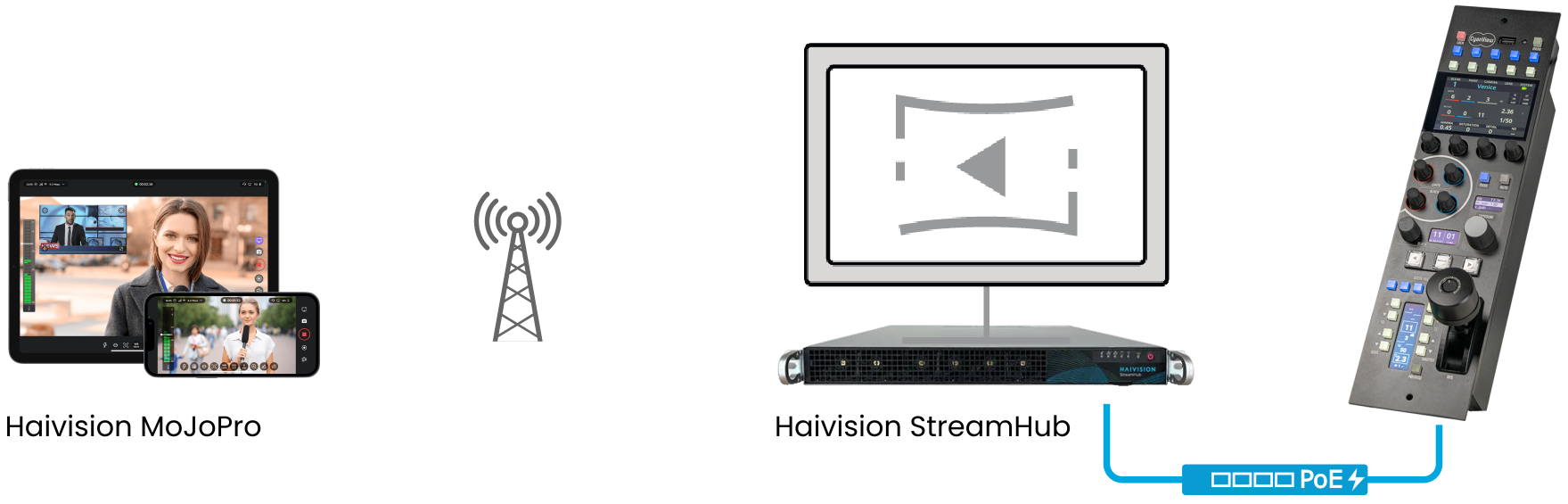
The Haivision MoJoPro is a mobile application for Apple and Android that enables live video transmission from smartphones. The Cyanview RCP controls a range of camera parameters over the StreamHub REST API connection. Typical use cases include news gathering and unattended PoV camera workflows where operators need to adjust settings remotely.
This integration was used in production at the Paris 2024 Olympics.
Supported Models
- Haivision MoJoPro (Apple iOS and Android) — controlled via Haivision StreamHub REST API
Compatibility Requirements
RCP control of the MoJoPro requires a specific Haivision StreamHub firmware version that adds the REST API control interface. This firmware was not yet publicly available from Haivision as of late 2024 — contact Haivision to confirm whether your StreamHub version supports RCP control before deploying.
Supported Controls
| Control | Notes | MoJoPro |
|---|---|---|
| ISO / Gain | Manual and AUTO | ✔ |
| Shutter | Manual or AUTO | ✔ |
| White Balance | Variable color temperature in K | ✔ |
| Focus | Manual and AUTO | ✔ |
| Zoom | ✔ | |
| Tally | — | |
| Record | — |
Connection
The MoJoPro is controlled over IP via the Haivision StreamHub. The RCP communicates with the StreamHub (not the phone directly) using the StreamHub REST API on port 8896. The StreamHub must be reachable from the RCP over the network.
Required Accessories
Required:
- Haivision StreamHub — acts as the gateway between the RCP and the MoJoPro app
Configuration
Camera Configuration
No specific on-camera configuration is required beyond launching the MoJoPro app and connecting it to the StreamHub. Refer to the StreamHub User Guide for StreamHub setup.
To find the api_key needed for RCP configuration, navigate to Admin > Rest API doc in the StreamHub web interface (look in the top right corner).
RCP Configuration
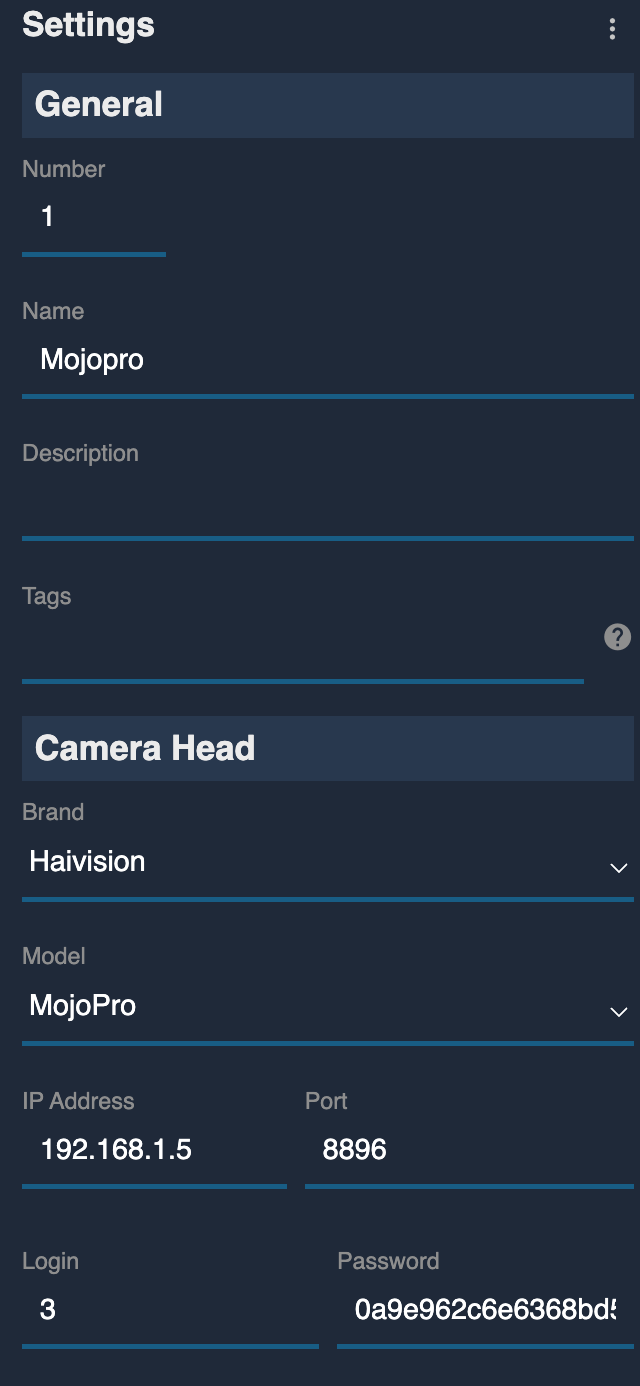
Add the camera as an IP camera. Camera-specific settings:
- Brand: Haivision
- Model: MoJoPro
- IP Address: Enter the IP address of the StreamHub (not the phone)
- Port:
8896— this is the REST API port used by the StreamHub - Login: Set to the input number of the StreamHub to which the MoJoPro is connected (1 to 16)
- Password: Enter the
api_keyfrom the StreamHub
Troubleshooting
Camera icon stays RED / camera not detected
Check in this order:
- Verify StreamHub firmware — confirm the StreamHub is running a firmware version that supports the REST API control interface (contact Haivision to verify).
- Check the IP address — confirm the RCP is targeting the StreamHub IP, not the phone's IP.
- Check the port — confirm port
8896is entered in the Port field. - Check the API key — re-copy the
api_keyfrom Admin > Rest API doc in the StreamHub web interface. - Check the input number — confirm the Login field matches the StreamHub input number the MoJoPro is connected to.
- Verify network connectivity — the RCP and StreamHub must be on the same subnet. Ping the StreamHub from a computer on the same network to confirm basic reachability.
- Power cycle — restart the StreamHub and retry.
A specific parameter is not controllable
- Confirm the StreamHub firmware supports the REST API feature for the parameter in question — not all firmware versions expose all controls.
- Check that the MoJoPro app is actively connected to the StreamHub during the control attempt.