AJA RovoCam
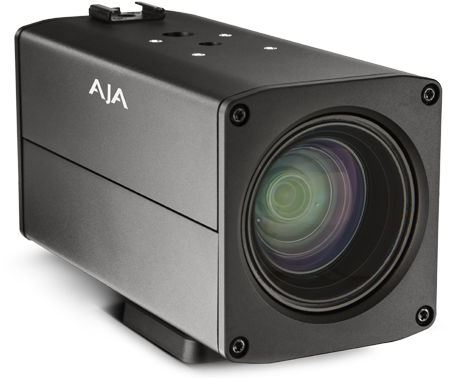
The AJA RovoCam is a compact PoV camera built around a Sony FCB-ER8300 camera block. It connects to the Cyanview CI0 or RIO via RS-232 and is controlled using the Sony VISCA protocol. Typical use cases include polecam, goal camera, crane, and drone positions where a compact camera with integrated zoom is required.
Supported Models
- AJA RovoCam — uses the Sony FCB-ER8300 block internally; controlled identically to the Sony FCB range
Supported Controls
| Control | RovoCam |
|---|---|
| Iris | ✔ |
| Gain | ✔ |
| Shutter | ✔ |
| White Balance (R/B and color temp) | ✔ |
| R/B Gains | ✔ |
| Black / Pedestal | ✔ |
| Master Gamma | ✔ |
| Saturation | ✔ |
| Detail | ✔ |
| Menu / OSD | ✔ |
| Lens (zoom, focus) | ✔ |
Connection
The AJA RovoCam connects to the Cyanview CI0 or RIO via RS-232 using a single cable that carries both data and power.
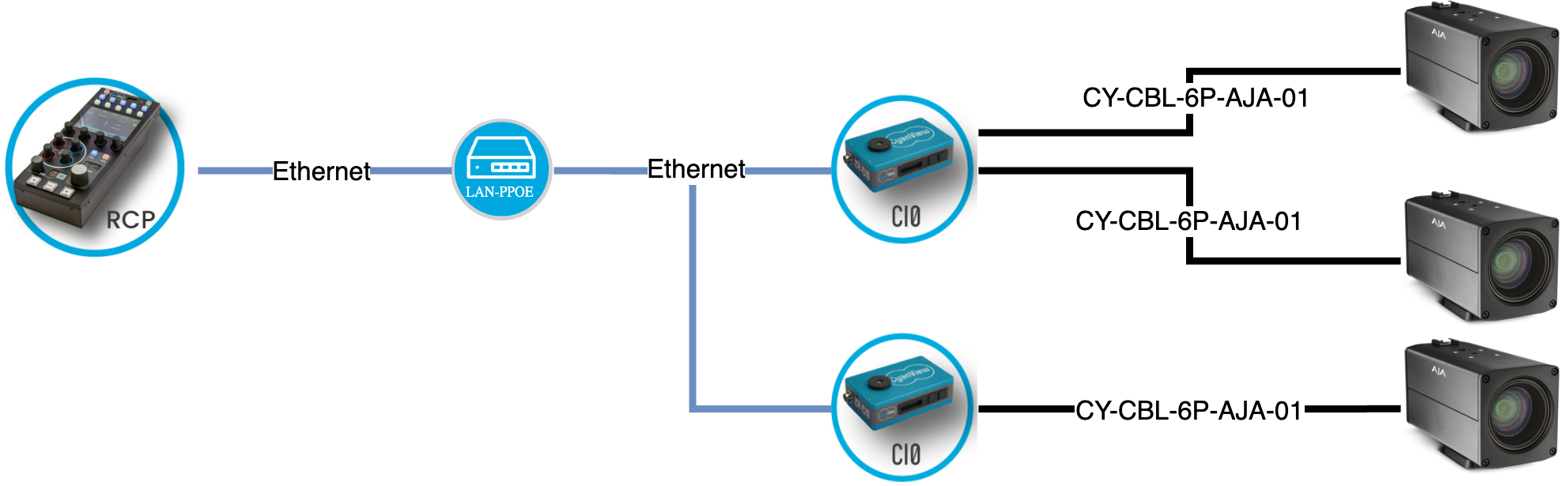
Multiple cameras can share a single CI0/RIO port on a VISCA bus — each camera has a unique ID.
Required Accessories
Required:
- CY-CBL-6P-AJA-01 — CI0 / RIO to AJA RovoCam cable (data + power)
Configuration
Camera Configuration
Assign a unique camera ID to each RovoCam using the AJA RovoCam app before connecting to the RCP. Cameras sharing the same VISCA bus must each have a different ID.
RCP Configuration
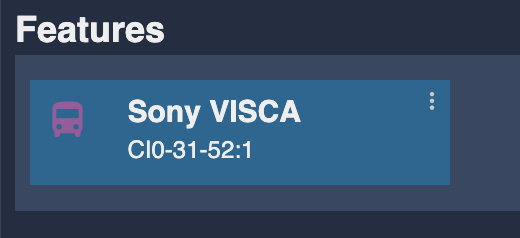
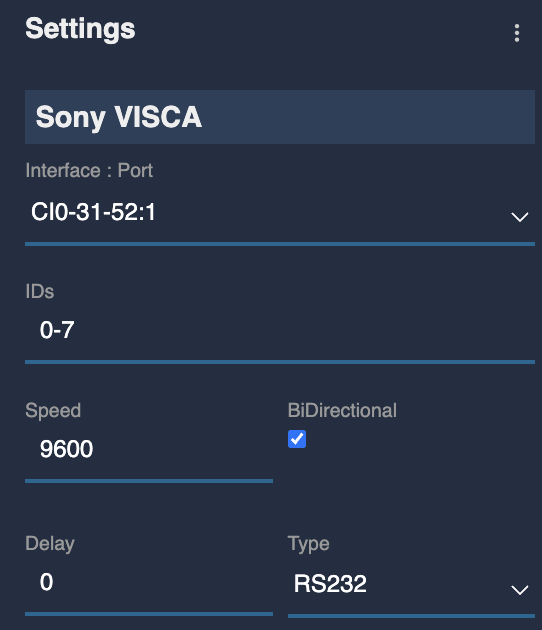
The RovoCam is a serial camera. It requires one additional step compared to the standard serial setup: a VISCA bus must be created as a Feature before adding the camera.
VISCA Bus Setup
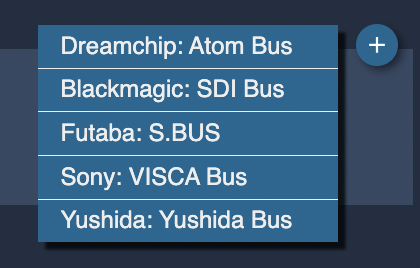
In the RCP Configuration, under Features:
- Click
+and select Sony: VISCA Bus - Set Bus ID range to
0–7(default) - Set Bus type to
RS232 - Set Baud rate to
9600 - Select the serial port corresponding to the CI0/RIO port the camera is connected to
Camera Setup
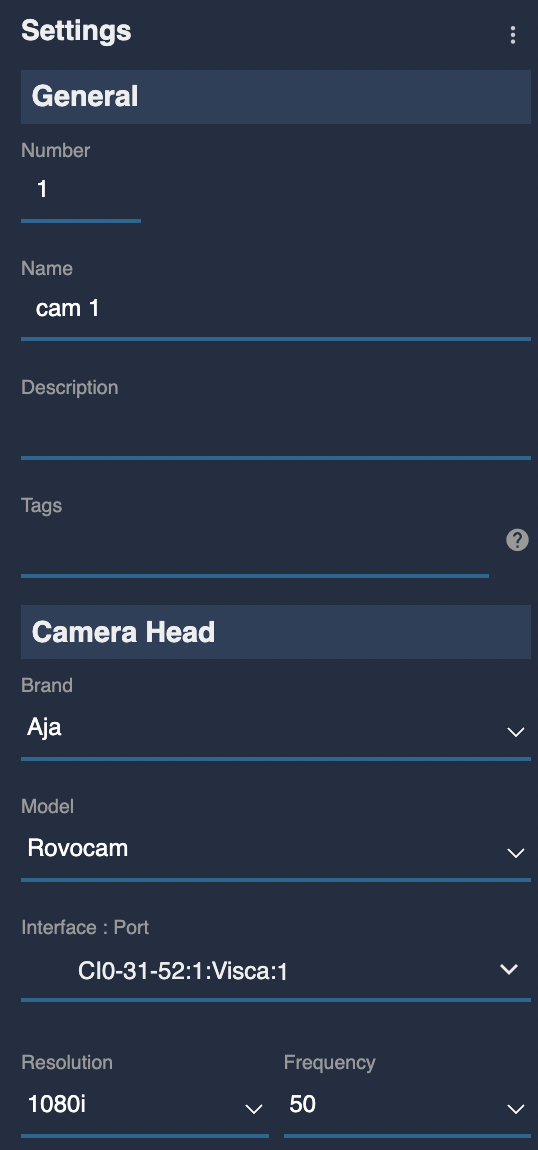
Select brand AJA and model RovoCam, then select the VISCA bus and camera ID configured above.
Troubleshooting
Camera icon stays RED / camera not detected
Check in this order:
- Verify the camera ID — confirm the ID set via the AJA RovoCam app matches the ID selected in the RCP.
- Verify bus settings — baud rate must be
9600, bus typeRS232. - Check the cable — confirm the correct cable (CY-CBL-6P-AJA-01) is used and fully seated.
- Check the serial port selection — verify the correct CI0/RIO port is selected in the bus configuration.
- IDs on bus — if multiple cameras share a bus, confirm each has a unique camera ID.
A specific parameter is not controllable
- Tally and Record are not available — these are hardware limitations of the FCB-ER8300 block.
- The RovoCam uses the same VISCA protocol as the Sony FCB range; any control supported by the FCB-ER8300 is available.