Canon Remote A
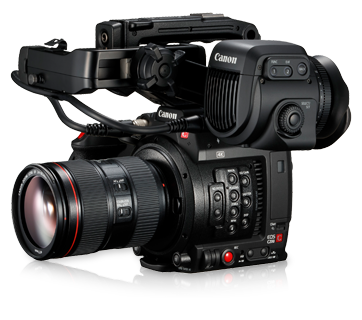
Canon Cinema EOS cameras support the Remote A serial protocol, which allows control of exposure, white balance, black balance, and lens from a Cyanview RCP or RIO. The camera connects via a 2.1 mm jack cable (CY-CBL-6P-LANC-03) to port 2 of the CI0. Typical use cases include broadcast studio production, ENG, and live events using Cinema EOS camcorders.
Supported Models
- C100
- C200
- C300 Mk1
- C300 Mk2
- C500 Mk1
- C700
- XF200
- XF205
- XF300
- XF305
- XF705
If you have a C70, C300 Mk3, or C500 Mk2: Remote A is supported, but prefer the Canon XC protocol — it is IP-based, faster, and bidirectional.
Supported Controls
| Control | Notes | Remote A |
|---|---|---|
| Iris | Manual | ✔ |
| ISO / Gain | ✔ | |
| Shutter | ✔ | |
| Variable ND | ✔ | |
| White Balance | R/B | ✔ |
| Black / Pedestal | R/B, master black, black gamma | ✔ |
| Knee | ✔ | |
| Detail | ✔ | |
| Menu / OSD | ✔ | |
| Lens | Zoom, Focus | ✔ |
| Tally | — | |
| Record | — |
Remote A is a unidirectional protocol — there is no feedback from the camera. The RCP displays approximated values. Follow the camera configuration steps below carefully to ensure the best match between RCP values and camera values.
Connection
The Canon Remote A cameras connect over serial (2.1 mm jack):

- Plug the cable CY-CBL-6P-LANC-03 into the camera's Remote terminal.
- Plug the other end into port 2 of the CI0 (port 1 is not compatible with Remote A).
Required Accessories
Required:
- CY-CBL-6P-LANC-03 — CI0 / RIO to Canon Remote A camera cable
Optional:
- (none)
Configuration
Camera Configuration
Incorrect camera-side settings will cause the RCP values to not match the camera. Set the following on the camera body:
You can find more information in the Canon camera manual and in the RC-V100 manual.
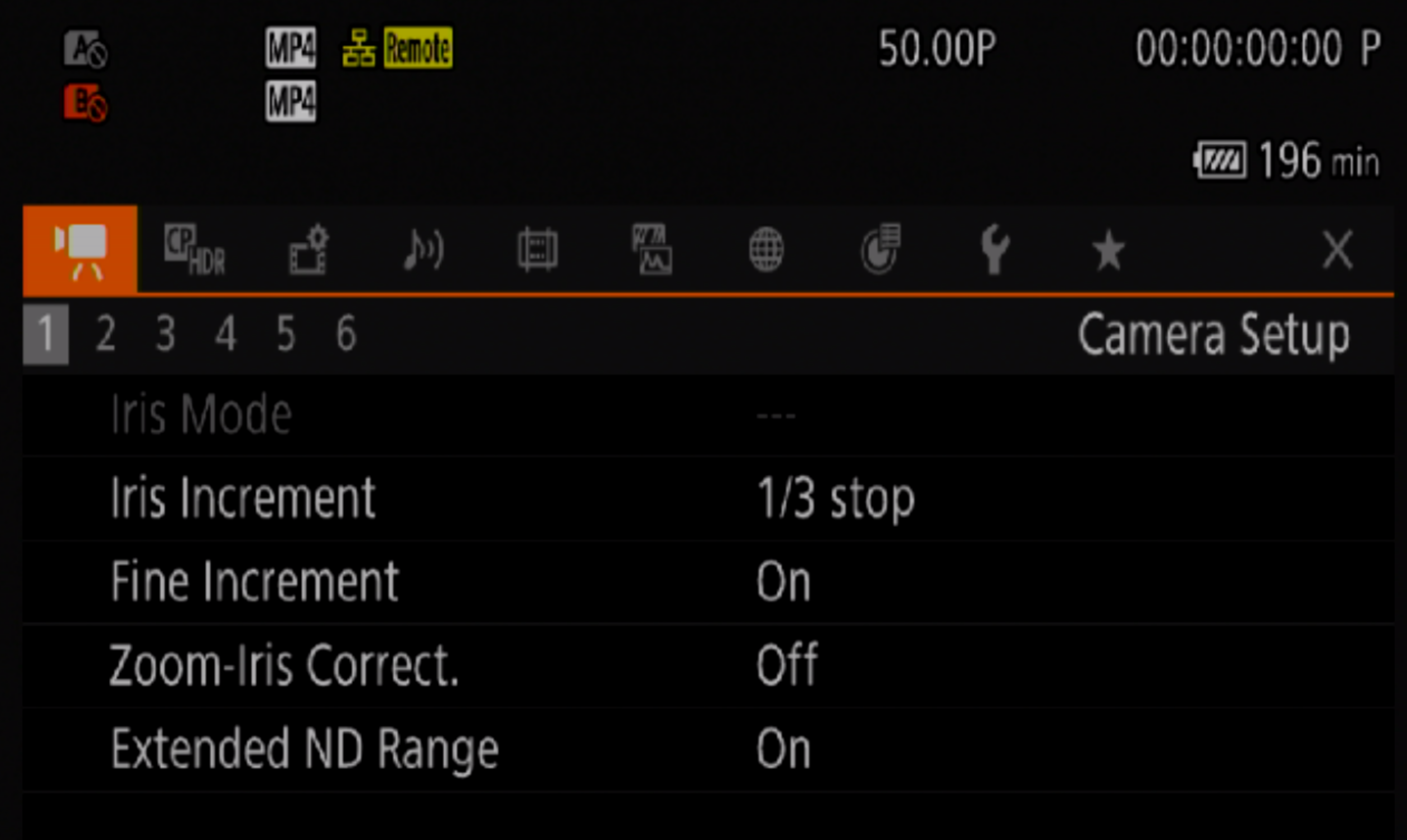
Iris Settings
Iris Increment→1/3 stopFine Increment→On
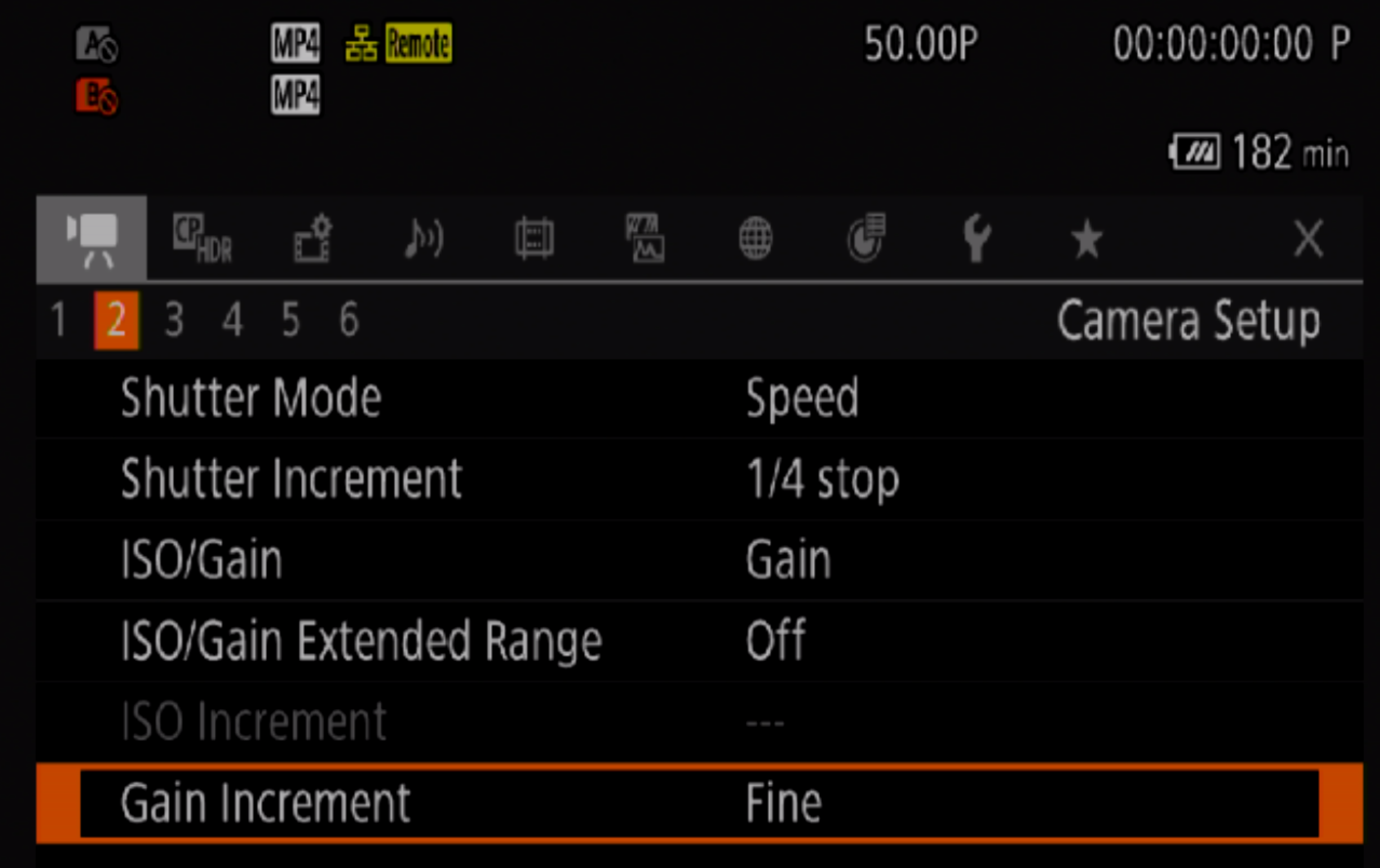
Shutter / Gain Settings
Shutter Mode→SpeedShutter Increment→1/4 stopISO/Gain→GainISO/Gain Extended Range→OffGain Increment→Fine
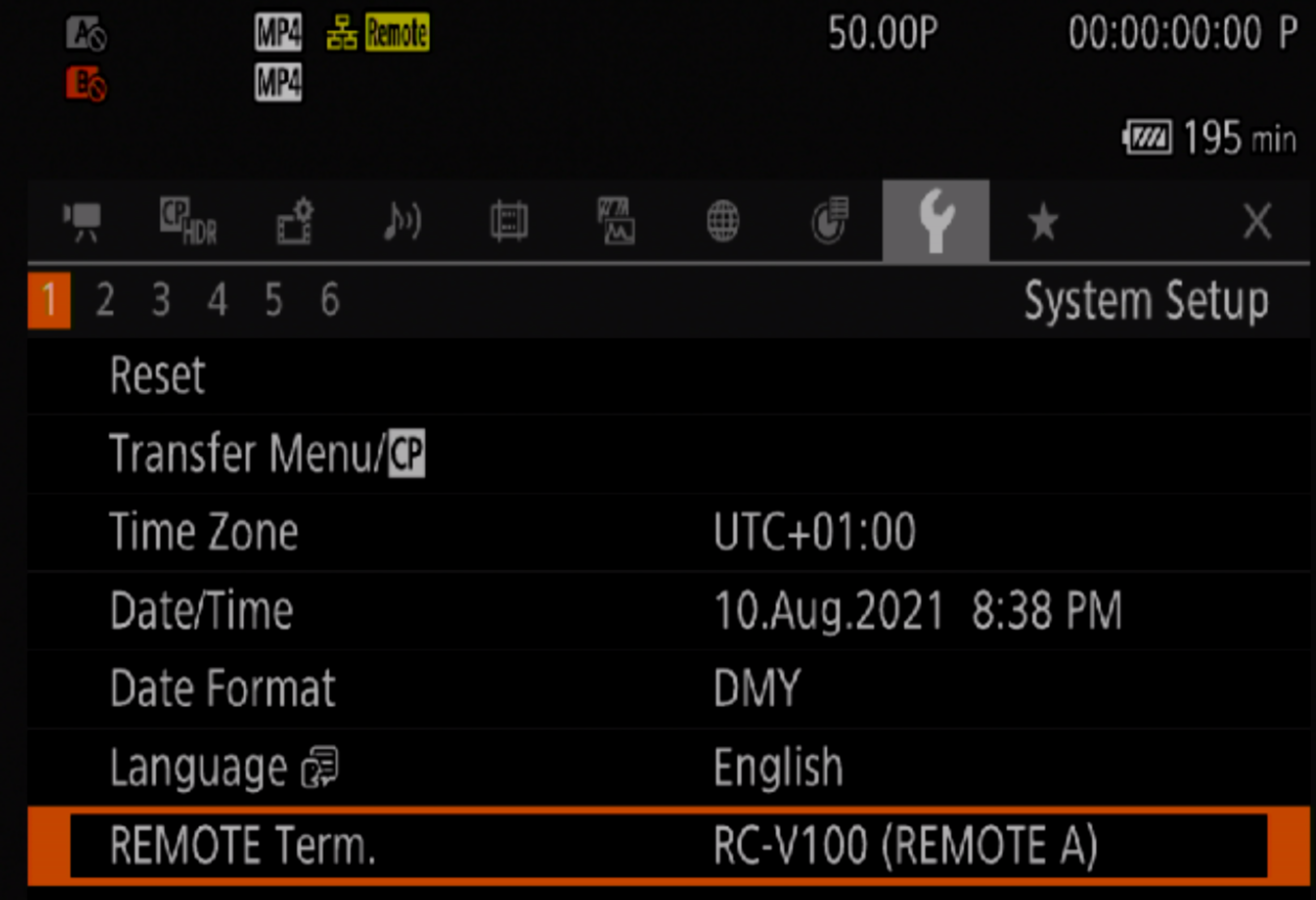
Remote Mode
REMOTE Term.→RC-V100
Custom Picture (for R/B Gain, R/B Pedestal, Master Black)
Custom Picture→ set to any value exceptOff
RCP Configuration
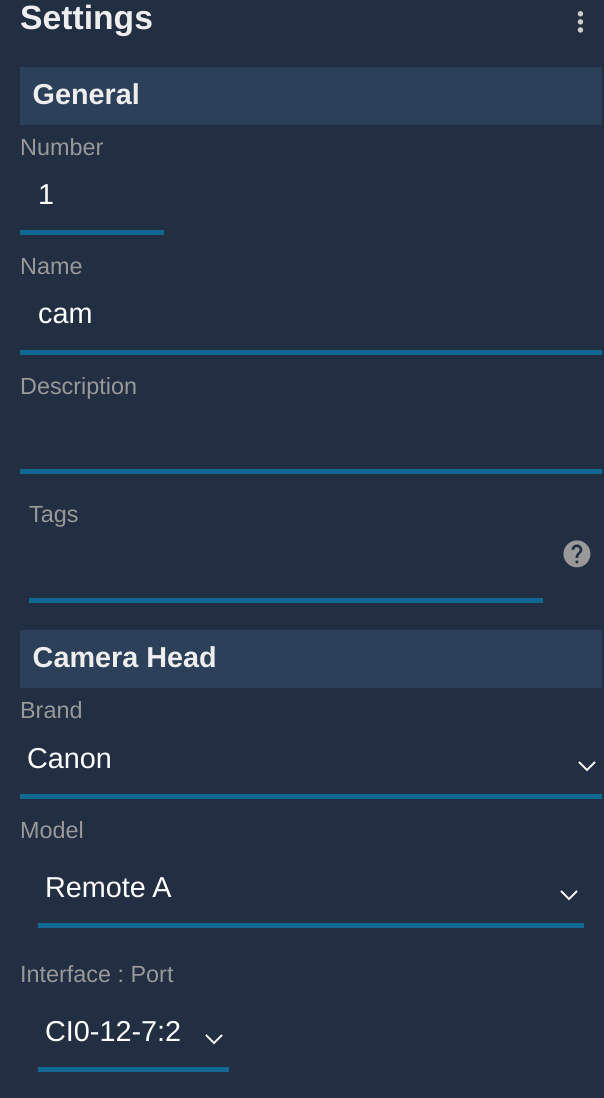
This is a serial camera — follow the Serial Camera Setup Guide to add it to the RCP. Select brand Canon and model Remote A.
Remote A only works on port 2 of the CI0. Port 1 is not compatible with this protocol.
Troubleshooting
Camera icon stays RED / camera not detected
Check in this order:
- Verify the port — Remote A must be connected to port 2 of the CI0. Port 1 does not support this protocol.
- Verify the Remote terminal setting — confirm
REMOTE Term.is set toRC-V100on the camera (see Camera Configuration above). - Check the cable — confirm you are using CY-CBL-6P-LANC-03 and that it is fully seated in both the camera and the CI0.
- Check model selection — confirm brand is Canon and model is Remote A in the RCP configuration.
- Power cycle — restart the camera and retry.
RCP values do not match camera values
- Remote A is unidirectional — the RCP cannot read back values from the camera.
- Ensure all camera-side settings (iris increment, shutter mode, gain increment) exactly match the values in Camera Configuration.
- Ensure
Custom Pictureis not set toOffif you need to control R/B gains or pedestal.
A specific parameter is not controllable
- Confirm
Custom Pictureis set to a value other thanOff— R/B gain, R/B pedestal, and master black require a Custom Picture profile to be active. - The Remote A protocol is limited; some parameters available on newer Cinema EOS cameras may not be accessible. Consider upgrading to Canon XC if your camera supports it.