FX3 - Sony Alpha USB
Sony Alpha Cameras
See the Sony Alpha Page for supported cameras, but this page has been mainly written for the FX3/FX3A
Introduction
A significant number of Cyanview users operate Sony Alpha cameras on Gimbals, cameras like the FX3 or A7S.
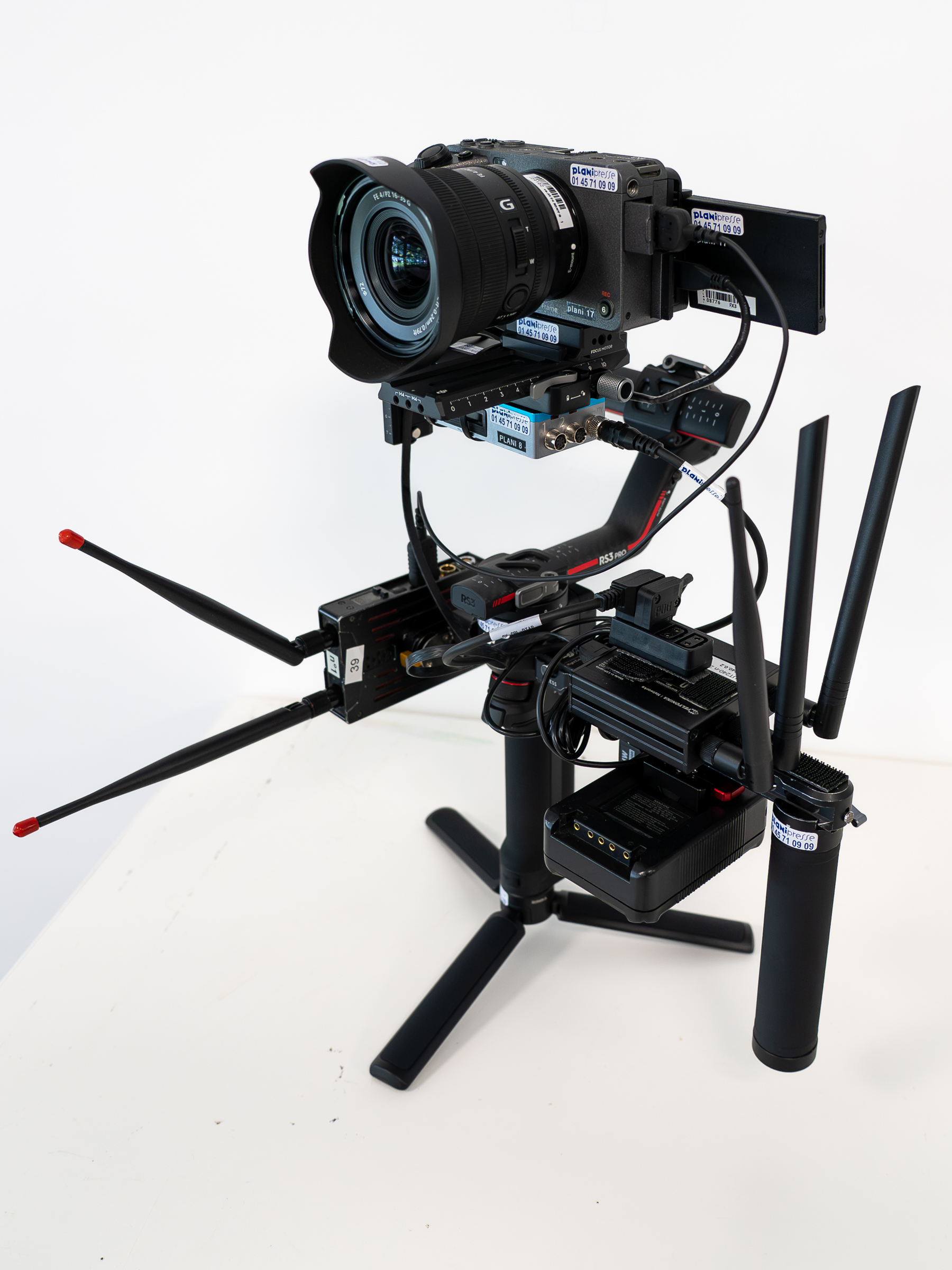
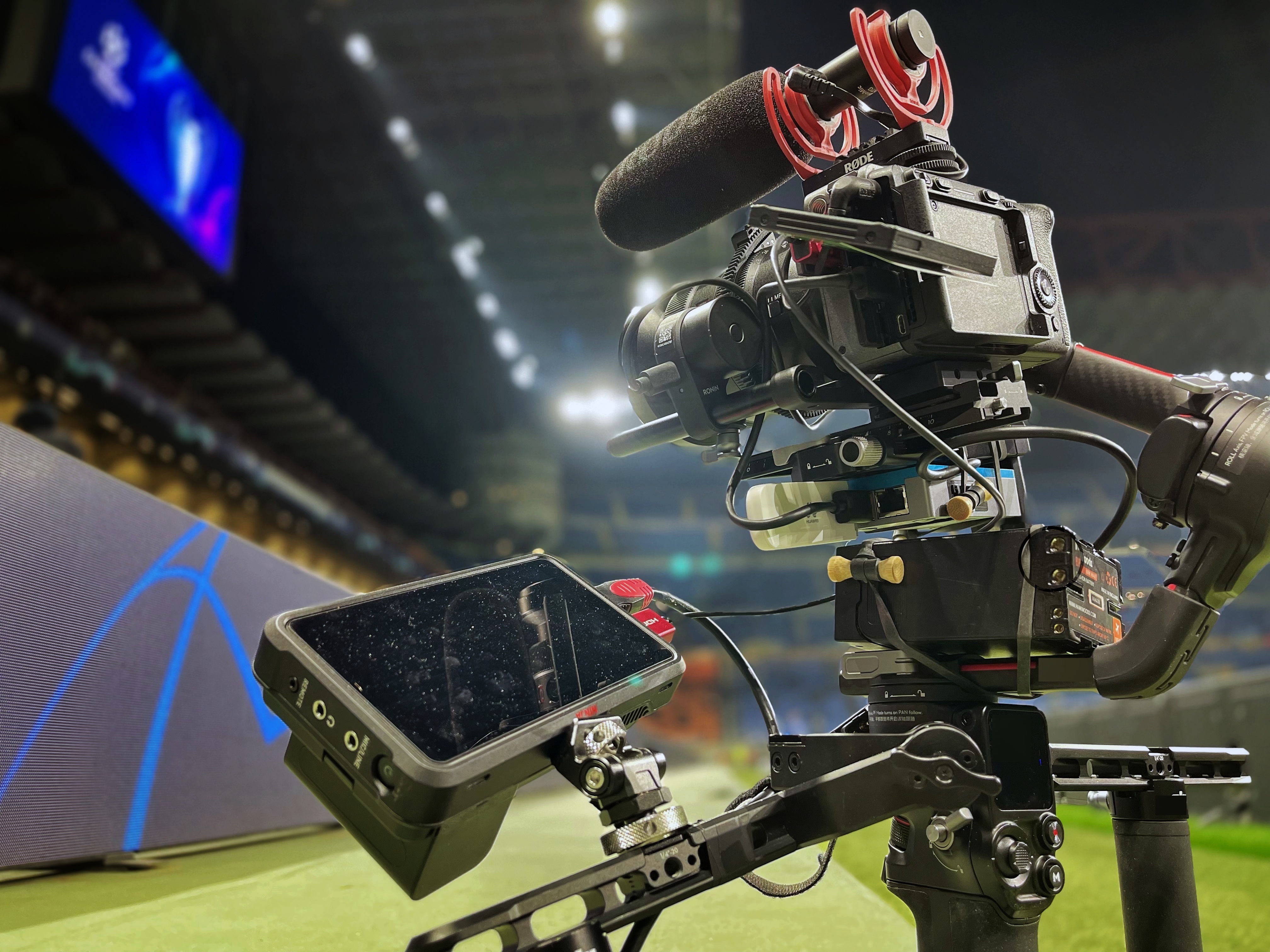

The setup is pretty simple, however the first go might seem a little daunting
The key thing to remember is where you need to configure the camera and using the REMI tag.
If you are unfamiliar with Cyanview equipment, particularly the RIO, please look at the My First Cyanview guide here
Workflows
Sony FX3
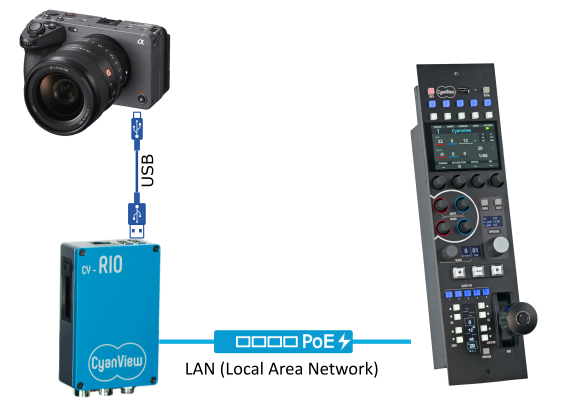
In this workflow, the Cyanview RIO connects to the camera over USB. The RIO then connects to the RCP using the REMI Tag.
Configuration
Before continuing, make sure you understand the REMI tag and how it is used. You can find this setup guide here
Configuring the camera
The camera is being controlled by the RIO via the USB cable. Make sure you are configuring the camera on the RIO NOT THE RCP
-
Browse to the RIO
-
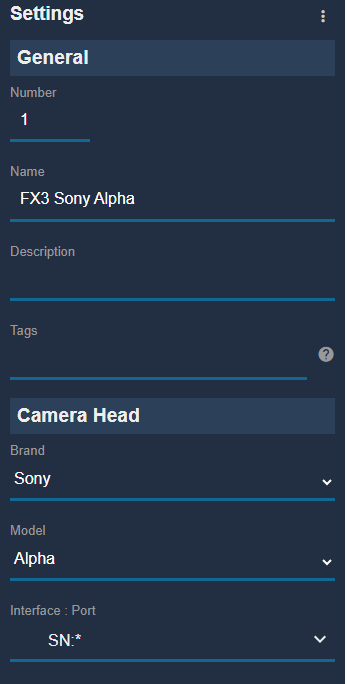
Configure the FX3/Alpha camera on the RIO
- Once the RIO has been configured, check the camera's OSD. When the USB functionality menu appears on the camera, make sure you select PC Remote Function
Make sure the USB cable used has the data pins. Some cables are just for phone charging
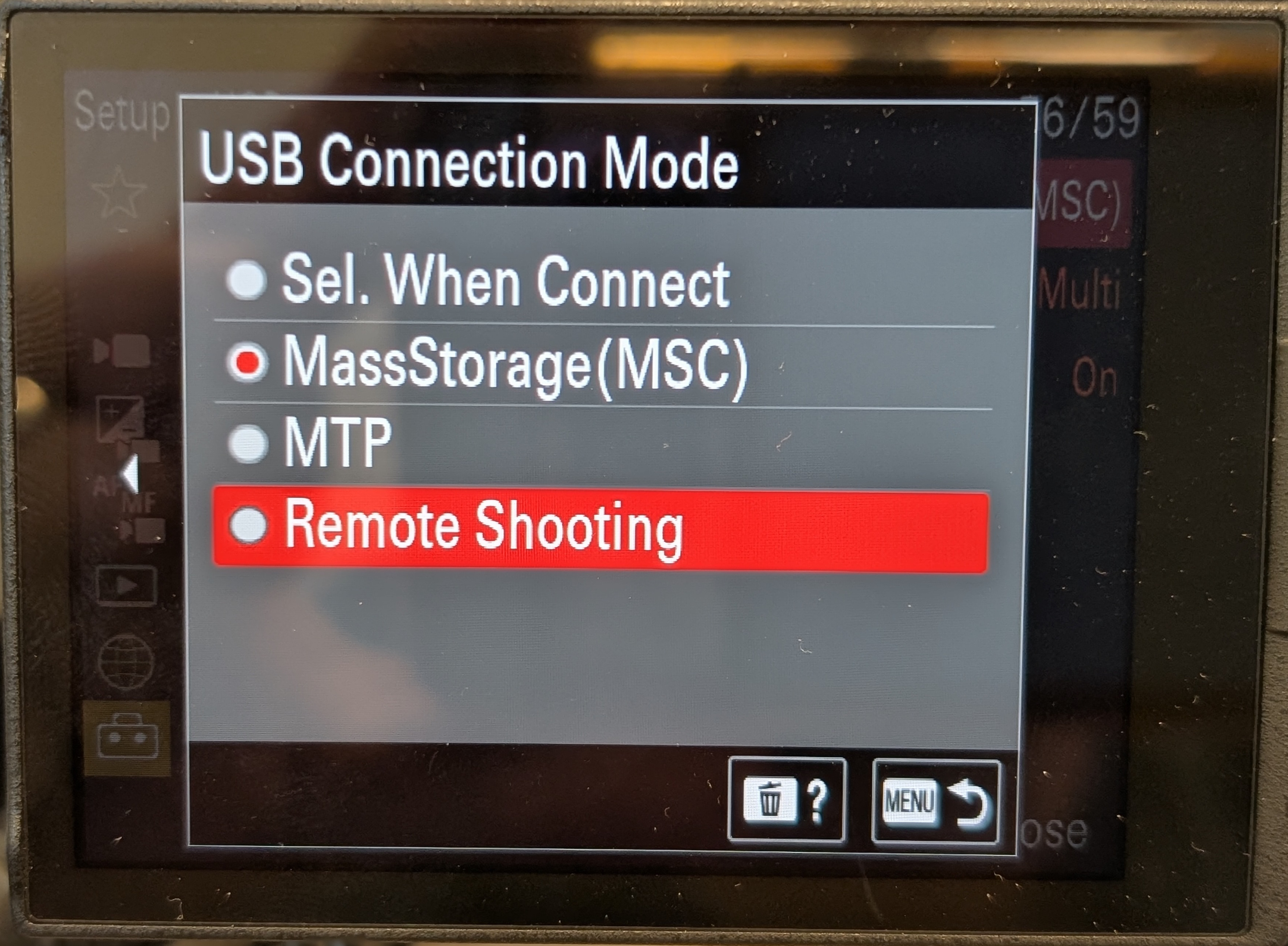
Some alpha cameras may automatically appear on the OSD but the FX3 needs to have the USB mode set
For the FX3. Go to the setup -> USB Menu. Select USB Connection Mode
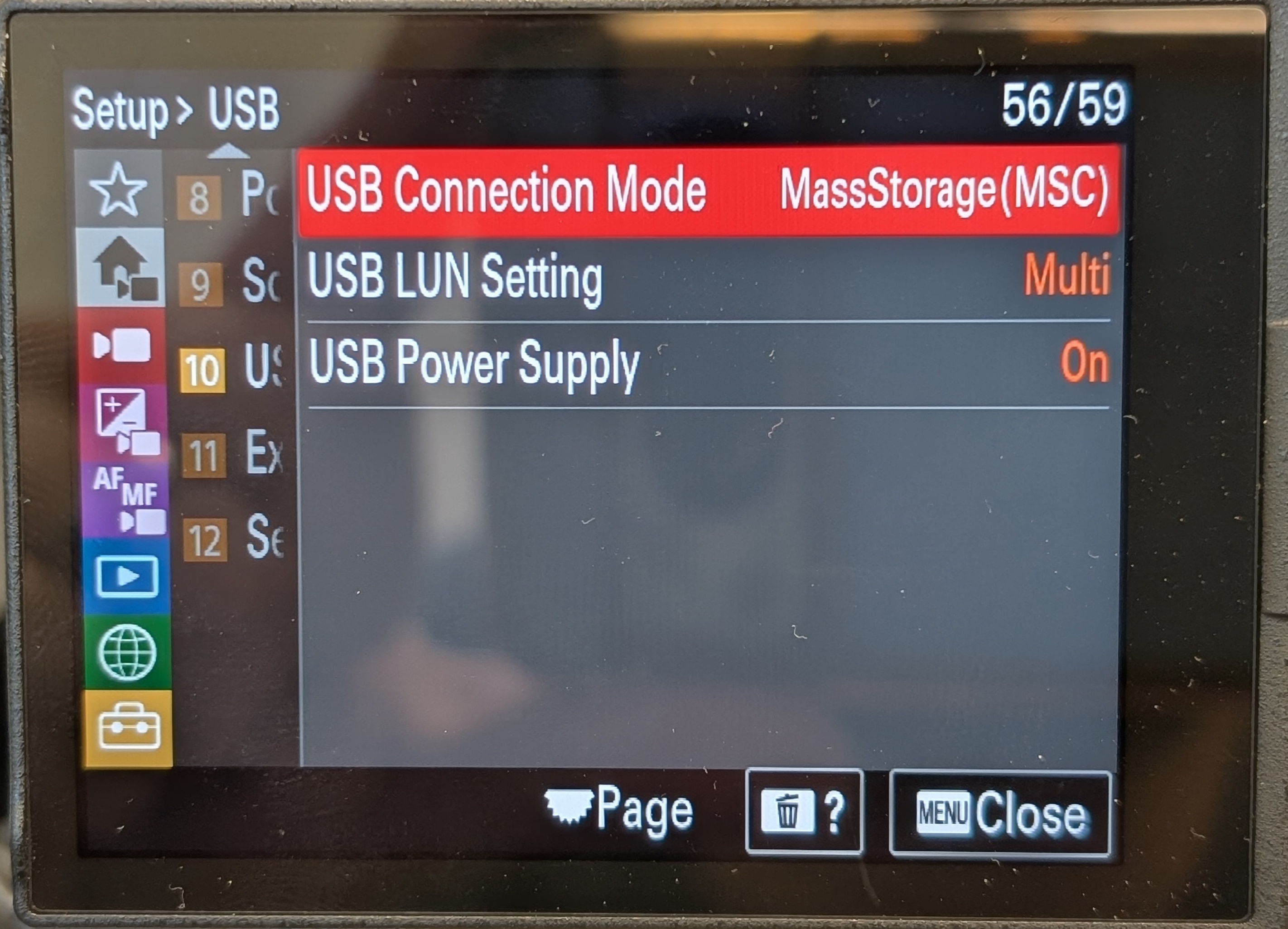
Select Remote Shooting
Link the RIO to the RCP
Once the camera is configured, import the RIO onto the RCP using the REMI tag
If you are unsure how to do this, you can find this setup guide here
Control the camera
Once you have the RIO imported onto the RCP, you will be able to control the FX3
Making it wireless
Most operators of the FX3 or Mirrorless cameras use them on gimbals and want to make the setup wireless
Cyanview doesn't do the wireless part of the workflow, just the camera control
Consult the wireless section which details the different technologies you can use.
The most popular wireless solutions used by customers for wireless gimbals: 4G Modems/Dongles & IP Mesh